
 When your consultant first set up your product, they may have taken you on a tour of the Manage AP Flow Settings and you may not have been back since.
In this article, we’ll take a look at the new Accounts Payable Accruals tab that was added in Sage Paperless Construction version 6.2.
There are some very nice features accessed in Manage AP Workflow, including your advanced settings to set the defaults for Job Numbers, General Ledger Accounts and Cost Code formats.
Within Manage AP Flow Settings, you can set up credit card templates for importing from a .csv format, route invoices based on rules, set up proxy users for when someone is on vacation, create quick notes instead of typing the same thing all the time. Other additional features we will look at in the future include Issues and Indicators.
AP Accruals
Now we want to tell you about a new tab that was added in version 6.2, the AP Accruals tab.
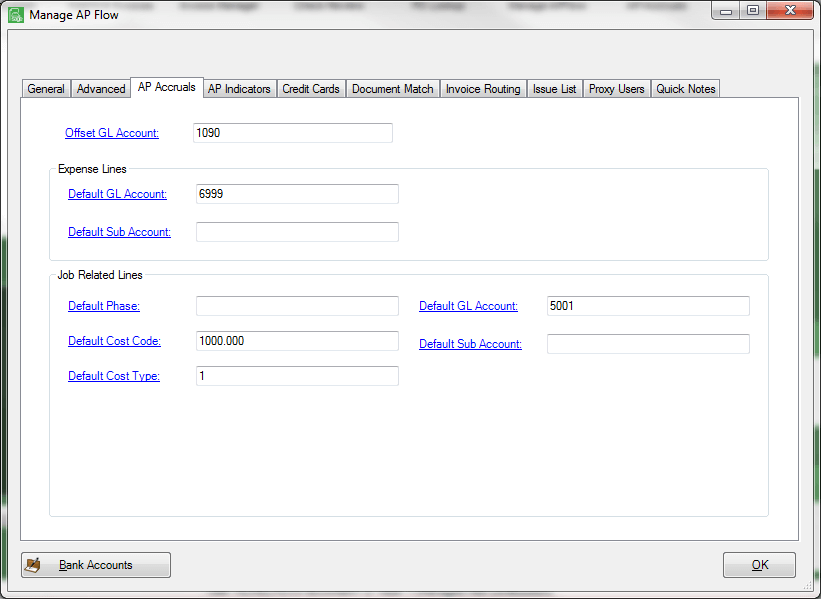
When you close your accounting period for the month, you want to be able to recognize all your costs. If you have invoices sitting in Sage Paperless that have not yet been approved, or are not fully ready to export, you can now create an accrual entry. The screen below shows how Supervisors the ability to set up default coding if the invoice has not been coded to create accrual and reversal entries that will export to your accounting system, whether Sage 100 Contractor or Sage 300 CRE. You may want to set up some new accounts in your chart of accounts to use for this specific task.

As always, your Accordant consultant is available to assist with these tasks.


